There is an incident on one of my websites this morning. It returns a 502 Bad Gateway error when I try to reach the website.
I did a little bit of research on the Internet. I found it is because of the OOM, or Out of Memory issue. It means I ran out of all the RAM I gave to the VPS. To specify the problem, I enter a command in the SSH window.
dmesg -T | grep -i "php\|oom"
journalctl -k | grep -i "out of memory"
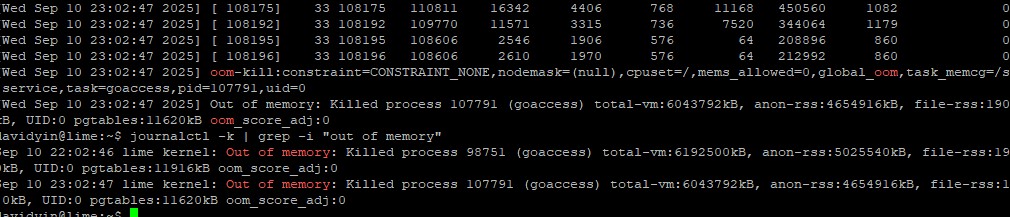
I found out that Nginx is still in good condition. But the php8.3-fpm was killed because of OOM.
I just restarted the php8.3-fpm service to solve the 502 error. The website has come back to normal.
The more important thing is, I don’t want it to happen again. I hope the php8.3-fpm service can restart when it is killed because of OOM.
So I added two lines to the php8.3-fpm configuration file.
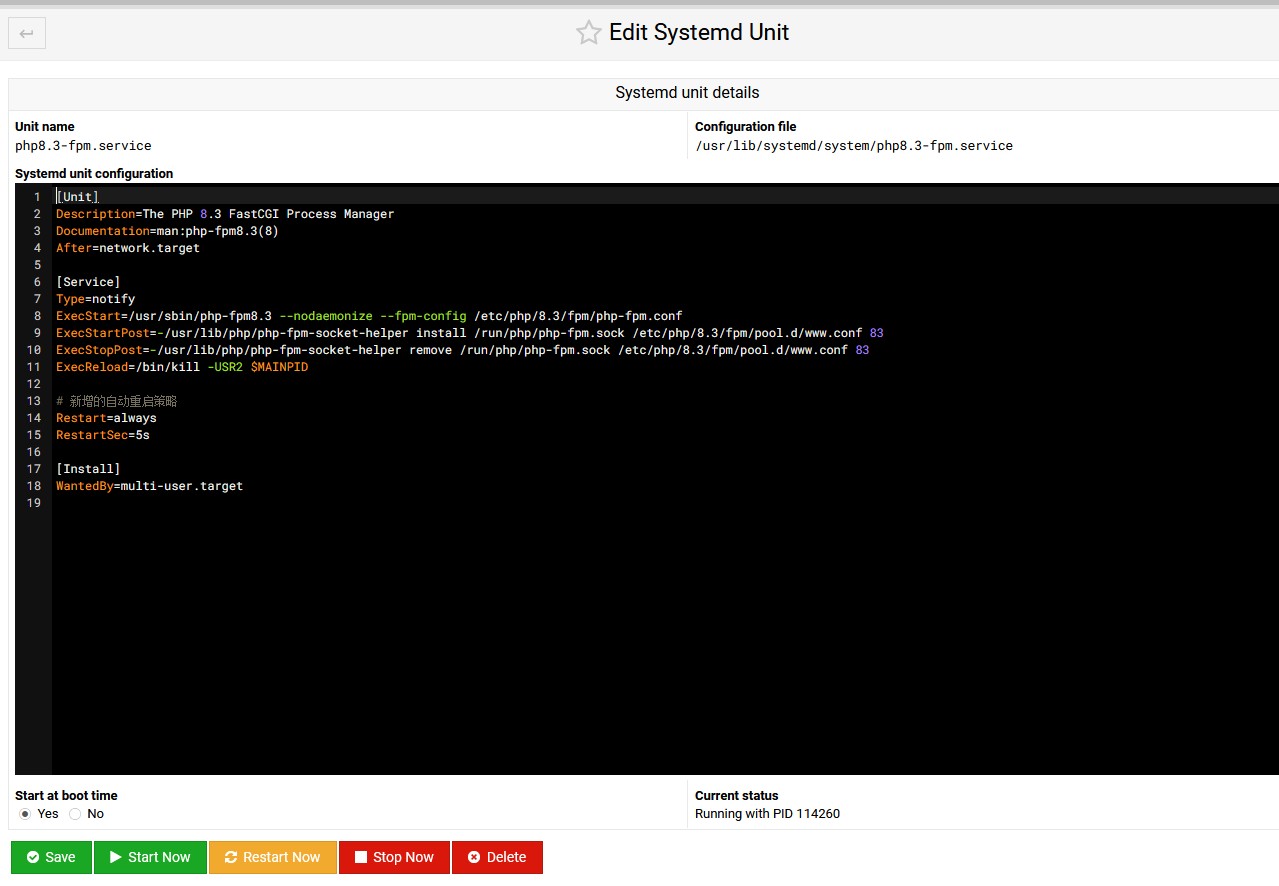
Add the following two lines to the php8.3-fpm.service file [Service] section:
Restart=always
RestartSec=5s
Yeah, I did it.
You can find out that I am still using Webmin.





This is a quick and practical tip for anyone using PHP 8.3-FPM with Webmin. The explanation of setting Restart=always and RestartSec=5s is super helpful for fixing potential server issues. Great job!