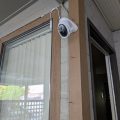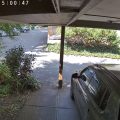

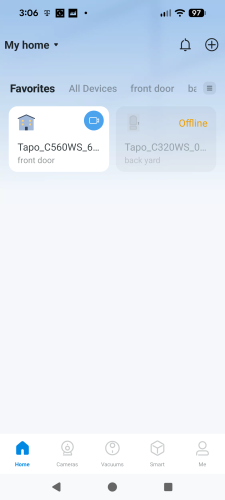
I have been using the Tapo C560WS security camera for a week. As I mentioned in my last post, the camera is installed at the front door of my house. I use it to record events, including people coming in and out, as well as any cars passing by or stopping in front of my house.
I like to share some thoughts on my experience.

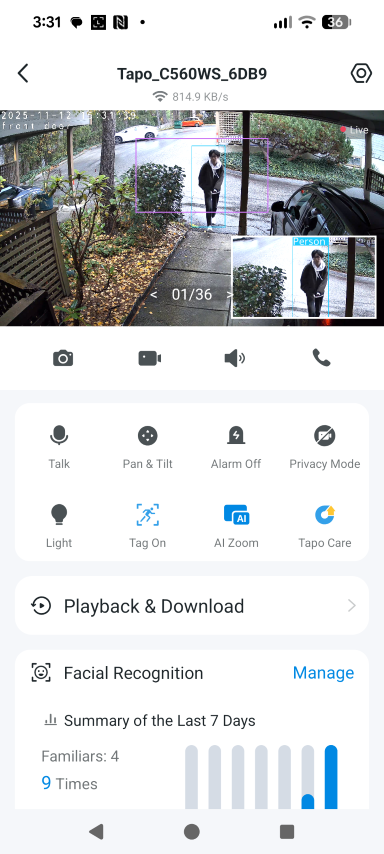
In the Tapo App, the C560WS camera is shown as above.
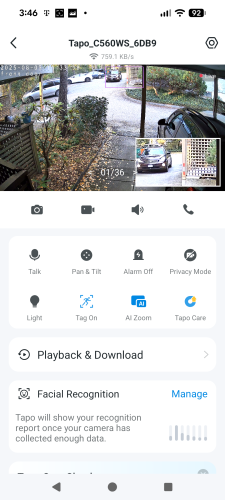
There are four icons below the video.
- Take a picture ( Save to Download on my smartphone)
- Record a video( Save to Download on my smartphone)
- Hear the sound
- Call
Below these four icons, A section for eight features
- Talk
- Pan & Tilt ( I can control the camera direction)
- Alarm ( I don’t use it)
- Privacy Mode
- Light ( The camera has a light built in)
- Tag On ( It is on)
- AI Zoom ( When something moves in the area, it will auto Zoom in)
- Tapo Care
Tapo Care Overview
Tapo Care offers a comprehensive suite of smart monitoring features, including:
- 📸 Rich notifications with snapshots
- 🎞 Video summaries for quick reviews
- 📊 Weekly activity reports
- 🧠 Smart event sorting
Plan Comparison
The only differences between the two plans are the price and cloud storage duration:
| Plan | Price (per device/year) | Cloud Storage Duration |
|---|---|---|
| Premium | $43.99 | 30-day unlimited storage |
| Basic | $32.99 | 7-day unlimited storage |
Note: The pricing shown in my Tapo App (above) differs from what’s listed on TP-Link’s Canadian website.
The playback and download section is for videos or pictures stored in the cloud or on the local SD card.
Regarding Facial Recognition, it uses Local AI. I believe that it is an important feature for privacy. I don’t want my face or anyone’s face uploaded to the cloud.
Tapo’s facial recognition feature operates using on-device AI, meaning all processing is done locally without sending facial data to the cloud. This enhances privacy and ensures faster, real-time recognition performance.
To use the Facial Recognition feature, I need to upload photos of the people I want the system to recognize.
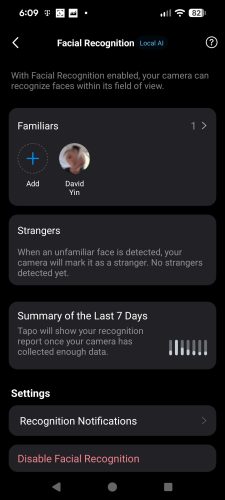
The summary of the Last 7 days is cool. Press it then I can see how many faces are recorded and recognized. The strangers here is my neighbours and the postman.
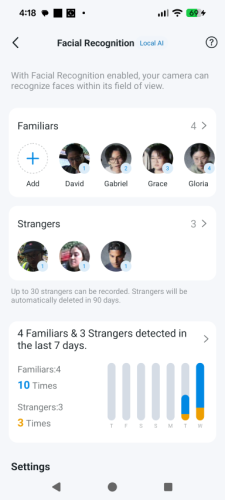
I do like the Tapo C560WS security camera. There are only two small issues I have.
1) If I block the camera’s internet access via the firewall, it fails to retrieve the correct time, even when the timezone is set properly. My expectation is that once the camera receives the correct time from the internet and I’ve set the timezone, it should continue running its internal clock locally. After that, even if I block internet access via the firewall, the camera should still maintain accurate time independently.

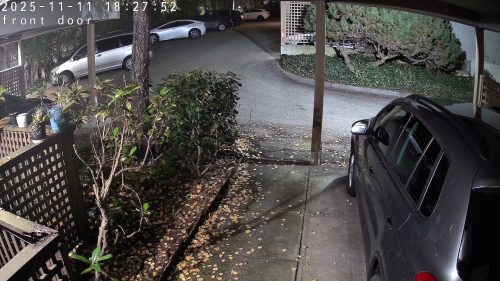
Generally, I would like to keep everything local as much as possible.
I want to recommend the TP-Link Tapo C560WS security camera for your home safety. It is even better when the Tapo App is used with it.